


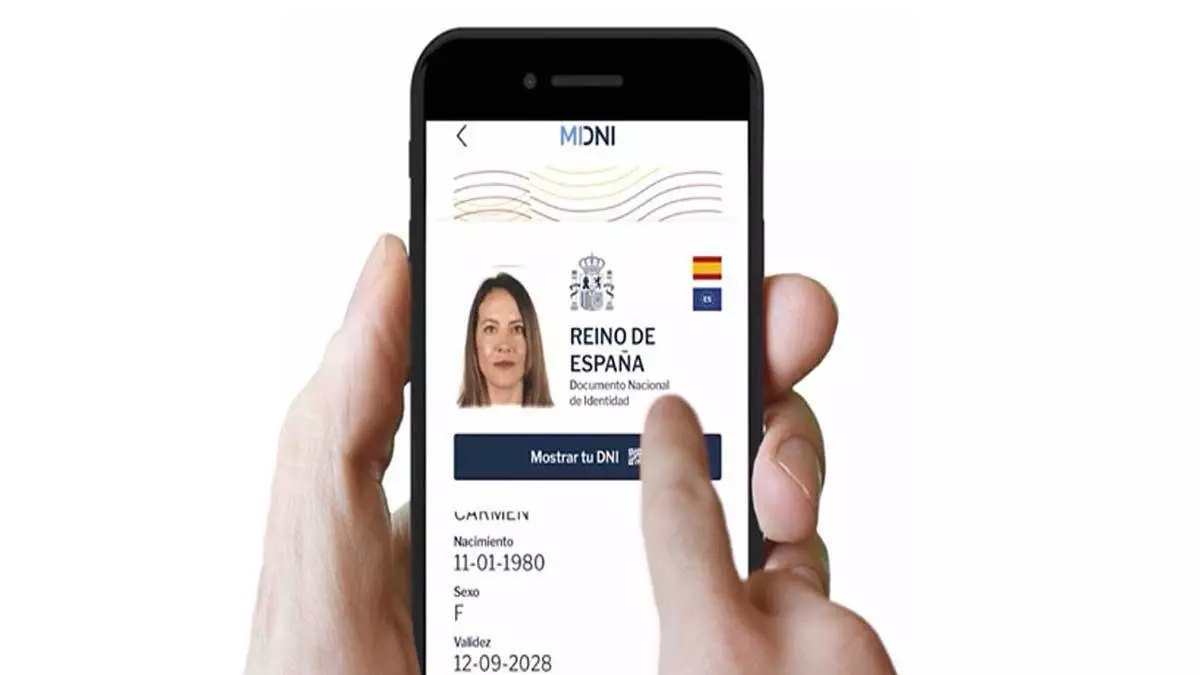
Spain has launched a new digital version of the DNI identity cards for Spanish nationals. Here’s what you need to know, from how to get it to what you’ll be able to use it for.
If you have Spanish nationality, you will have been issued what’s known as a DNI, which stands for Documento Nacional de Identidad (National Identity Document).
After being approved by the Spanish Cabinet on Tuesday April 1st, the National Police have launched a new digital version of the card via the app – MiDNI, which will serve to help prove identity.
Currently it’s only available for the DNI cards, not the TIE cards for non-EU foreign residents or the green residency cards for EU residents in Spain.
What is Spain’s new digital DNI used for?
According to the National Police, this document does “everything that a physical ID can do, except for the functions provided by electronic certificates”.
Not only can it be used to provide identification, but also to establish any type of legal relationship, to identify oneself before a notary for signing deeds to a property or other admin procedures such as confirming your age.
At the moment you cannot use it for online authentication and/or electronic signature procedures like you can with the digital certificate and cl@ve pin. But, by 2026, the authorities hope to make this possible too.
You also cannot use it to travel outside of Spain, like you can with the physical DNI card within the EU.
READ ALSO: How to get Spain’s digital certificate without an in-person appointment
Advertisement
How do I apply for Spain’s digital DNI?
To get your digital DNI, you will need to register, download the app, and activate it. It’s not yet available on Google Play or the App Store, but will be soon.
The registration process can be carried out in several ways. The first way is through the National Police website, the second way is at the National Police’s Document Update Points (PAD), and and at any Documentation Unit (UNDOC) when obtaining or renewing your physical DNI.
You can also register in person by making an appointment with the national police.
Once the registration process is complete, you can download the app. To do so, you must have iOS version 14 or Android version 10.0. It can be activated by setting up an eight-digit password. You will also need to enter your fingerprint or enable facial recognition.
Autofirma: How to install a digital signature on your device in Spain
Advertisement
How does it work?
After registering and downloading your app, you can use the digital DNI in different ways. The app will provide DNI options with three levels of information depending on what you need it for.
The first will be used to prove your age and will show only your photo and date of birth. The second will open a simple document format with your name, surname, gender, date of birth, DNI validity and photo. The third option will present all your document information, the same as the physical DNI.
Advertisement
Be aware
A problem has already arisen since the announcement of the app, as there is another unofficial app with an almost identical name that already exists called Mi DNI. Be careful when you come to download and choose MiDNI instead, without a space.
The real MiDNI app is highly secure and has been validated by the National Cryptologic Centre (CCN) certification body, as well as by the Spanish Data Protection Agency.
For security reasons you information will only appear on the mobile screen for a total of one minute and the data will not be stored on your device. It also requires a two-factor authentication process such as a password and fingerprint or password and facial recognition to gain access to it, so that even if your phone is stolen, the thieves won’t have access to your DNI card.


