


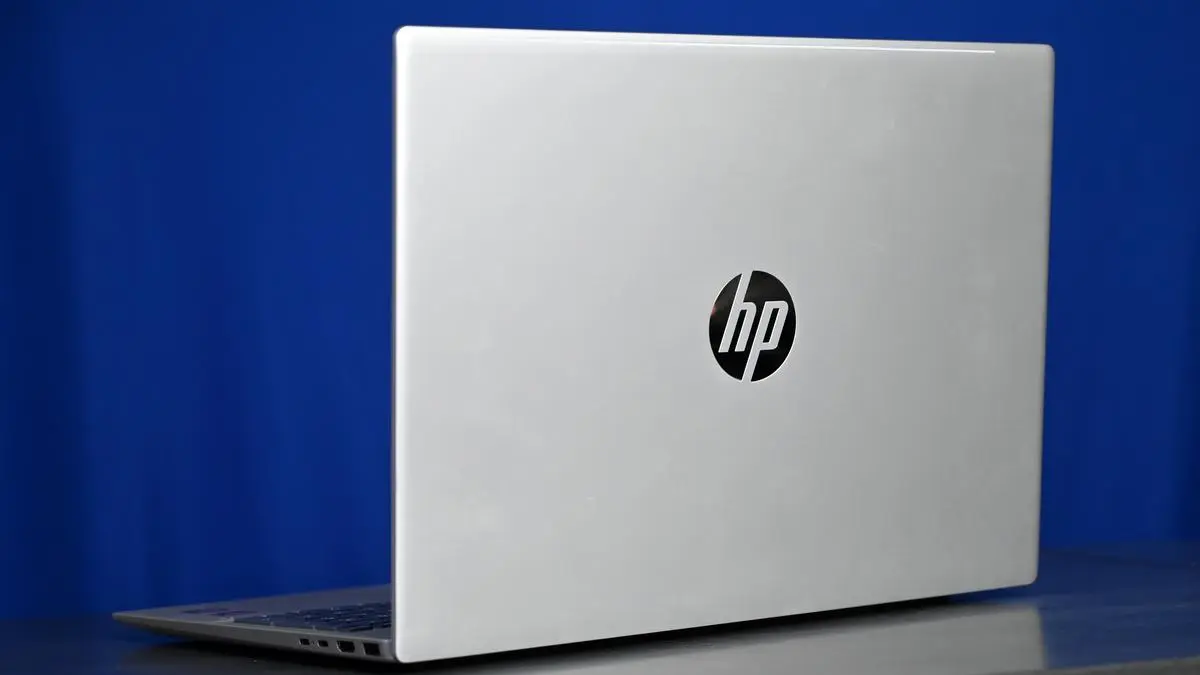
Though the design is sleek and functional, the overall aesthetics lean toward the conventional.
| Photo Credit:
BIJOY GHOSH
At a time when 14- and 16-inch laptops dominate the AI laptop space, HP is aiming to future-proof its consumer lineup with the Omnibook 5—a device that brings AI features to a mid-range productivity laptop. After spending some time using it, here’s what worked for me—and what didn’t.
Design
The HP Omnibook 5 features a familiar aesthetic — a matte silver aluminium chassis with a chrome HP logo on the lid. While not the lightest at 1.79 kg, the weight is evenly distributed, and I had no issues carrying it to work daily. Fingerprints were minimal even after extended use, and the overall build feels solid. Though the design is sleek and functional, the overall aesthetics lean toward the conventional.
Display

The laptop sports a 16-inch 2K (1920×1200) IPS touch display featuring an anti-glare coating and 300 nits of brightness.
| Photo Credit: BIJOY GHOSH
The laptop sports a 16-inch 2K (1920×1200) IPS touch display featuring an anti-glare coating and 300 nits of brightness. It covers 62.5% of the sRGB colour gamut—not ideal for content creators, but passable for regular use. The matte finish does a decent job of reducing reflections, especially near windows.
The touch input is responsive and smooth while navigating through web pages or spreadsheets. Watching HD trailers of Thug Life showed reasonably accurate skin tones, though colours were overall neutral. The display is fine for regular productivity, such as working on spreadsheets and joining in on video calls, but not something you’d go for if your primary work is multimedia-based, such as photo editing or colour grading.
Productivity
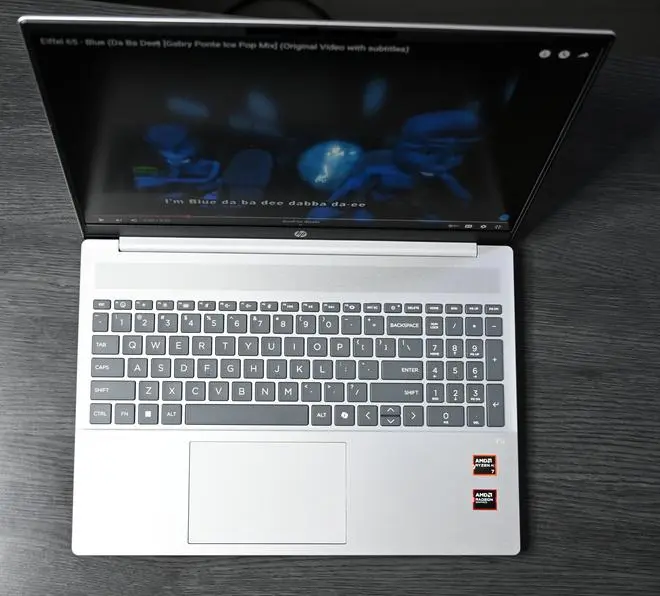
The keyboard offers decent key travel and firmness, making for a satisfactory typing experience.
| Photo Credit: BIJOY GHOSH
The keyboard offers decent key travel and firmness, making for an overall satisfactory typing experience. The keyboard has two levels of brightness, which worked well for some late-night typing of this review. While it’s great that a number pad has been added to the laptop, there are some layout quirks — like smaller keys and wider spacing near the number pad—but I adapted quickly. After a day or two, typing felt natural and consistent.
Listening to Eiffel 65 – Blue (Da Ba Dee) felt underwhelming—the speakers lacked depth and throw. But with more recent tracks like Bryan Adams – Here I Am (Classic Version), the sound was noticeably better. The tuning struck a good balance, especially in the vocals, and the percussion and string instruments came through clearly. Overall, while these speakers aren’t audiophile-grade, they’re perfectly adequate for streaming music post-work.
Connectivity
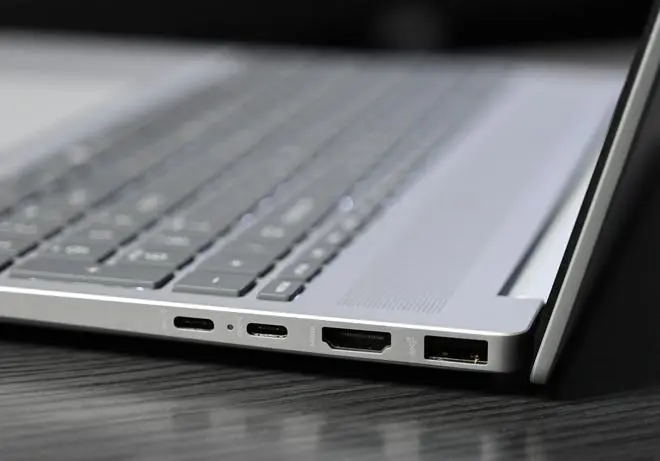
The HP Omnibook 5 provides a well-rounded port selection
| Photo Credit: BIJOY GHOSH
The HP Omnibook 5 provides a well-rounded port selection that includes two USB-C ports, which support charging, two USB-A ports, an HDMI 2.1 port, and a 3.5mm headphone/mic combo jack. There are no surprises here — just a dependable setup that covers the basics, with enough flexibility to connect peripherals and external displays without needing a separate hub.
Performance
Under the hood, the Omnibook 5 runs on AMD’s Ryzen AI 7 350 processor paired with Radeon 860M integrated graphics. With 8 cores and 16 threads, it handles multitasking without breaking a sweat—browsing, spreadsheets, light video editing, and even casual gaming (like Counter-Strike 2) ran smoothly at over 60-70 FPS.
The 16 GB RAM complements the CPU well, keeping overall performance snappy. In benchmark tests, the Omnibook 5 outperformed the Ryzen 5800X in single-core tasks and landed just behind Apple’s M1 Max in multi-core performance—a strong showing for a mid-range AI laptop.
AI additions
What’s a laptop in 2025, without an AI suite? HP’s AI suite offers a bouquet of services in one place, though you’ll need to log in with an HP ID to try them out.
Starting with HP’s AI Companion, you’re greeted by a dashboard with several tabs. The Discover tab lets you ask questions to the AI assistant, typically responding within 3–4 seconds. I could get it to analyse and summarise 700-word documents in about 10–15 seconds. The Performance tab monitors and optimises system stats such as storage and RAM. Spotlight highlights AI-enabled apps such as Zoom and Luminar Neo, which one can download for a trial. The Omnibook 5 also supports Microsoft Copilot, which delivers quick script summaries—usually in under 5–6 seconds.
Battery
The Omnibook packs a 3-cell, 59Wh battery. In light usage—web browsing, email, and document editing—it lasted around 8–9 hours. Under heavier loads like video editing or gaming, expect 2 to 4 hours. Charging, thankfully, is quick. The supplied 65W adapter brings the battery to 50 per cent in about 30 minutes, which is handy for short top-ups during the day.
Verdict
The HP Omnibook 5 hits the right notes for a mid-range AI laptop—it delivers reliable performance, a practical matte display, and a well-rounded port selection that covers most daily needs. It’s not trying to be flashy; it’s aiming to be dependable.
In a market with more premium options like HP’s own EliteBook or Lenovo’s Yoga Slim 7i Aura series, the Omnibook doesn’t lead the pack, but it holds its own. If HP keeps polishing the software experience and maintains competitive pricing, this line could quietly become a go-to choice for everyday AI-powered productivity.
Price: ₹88,990 onwards
Pros: Solid performance, well-rounded port selection, decent battery life, useful AI features
Cons: Limited colour accuracy, flat audio experience.
Published on May 28, 2025


